This article may contain affiliate links, which means we may earn a small commission if you make a purchase — at no extra cost to you. We only recommend products we use and love, or tours we’ve personally experienced.
Getting around Istanbul by public transportation can feel intimidating at first — the city is massive, the transit network is complex, and there are a lot of lines. But once you understand how to use Google Maps properly, it becomes one of the easiest and most reliable ways to get around.
We use Google Maps daily in Istanbul, and below are our best tried-and-true tips to help you confidently navigate the city using public transit.
Why Google Maps Works So Well in Istanbul
Google Maps integrates extremely well with Istanbul’s transit system, including:
- Trams
- Metro & Marmaray
- Buses
- Ferries
- Walking connections between transfers

When used correctly, it can help you choose faster routes, avoid traffic, and understand how different transit lines connect across the city.
1. Turn the Transit Layer On
One of the most important (and often overlooked) steps is turning on the Transit layer.
When enabled, Google Maps will display:
- All tram, metro, train, and ferry lines
- How different lines connect
- Major transit hubs and transfer points
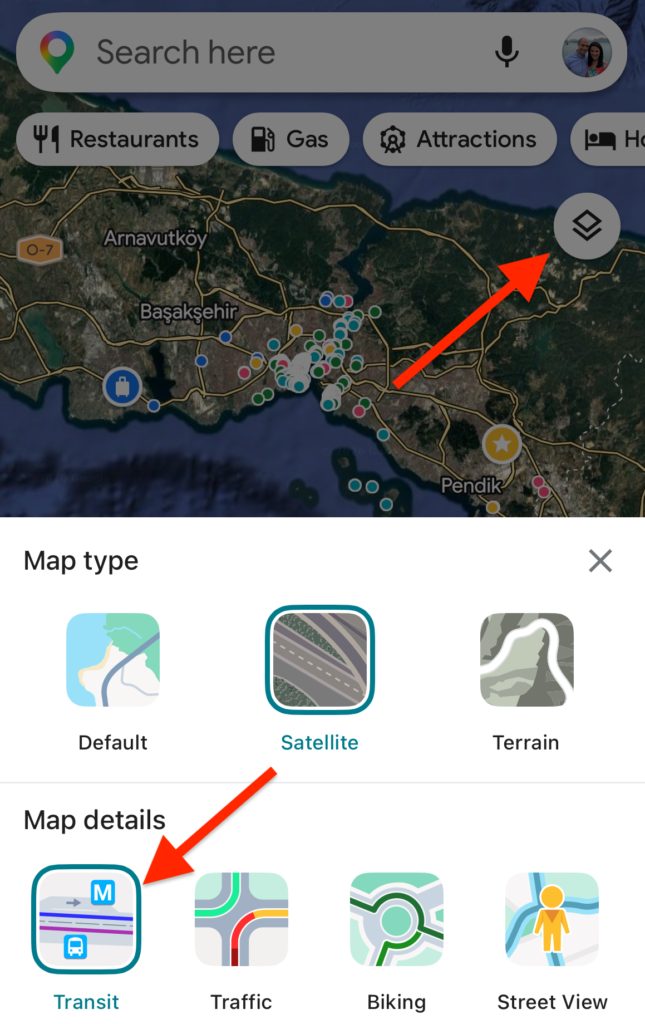
How to do it:
- Open Google Maps
- Tap the layers icon (the small diamond shape)
- Select “Transit” under Map Details
This gives you a visual understanding of the transit network and makes route planning much easier.
2. Always Plan Ahead
Before leaving your accommodation, plug your destination into Google Maps and check transit options.
This helps you:
- Understand how many transfers are required
- See walking distances between connections
- Compare different route options
- Mentally prepare for the journey
Even if you don’t follow the route exactly, having a general plan makes everything feel far less overwhelming.
3. Compare Route Options (Don’t Just Pick the First One)
Google Maps will usually show what it thinks is the fastest route first — but that doesn’t always mean it’s the best option.
When comparing routes, look at:
- Total travel time
- Number of transfers
- Walking distance
- Whether the route relies heavily on buses
TOP TIP: Estimated bus times do not account for traffic, which can be heavy and unpredictable in Istanbul.
If a route relies mostly on buses, it may look faster on paper but actually take longer in real life.
4. Prioritize Trams and Metro Over Buses
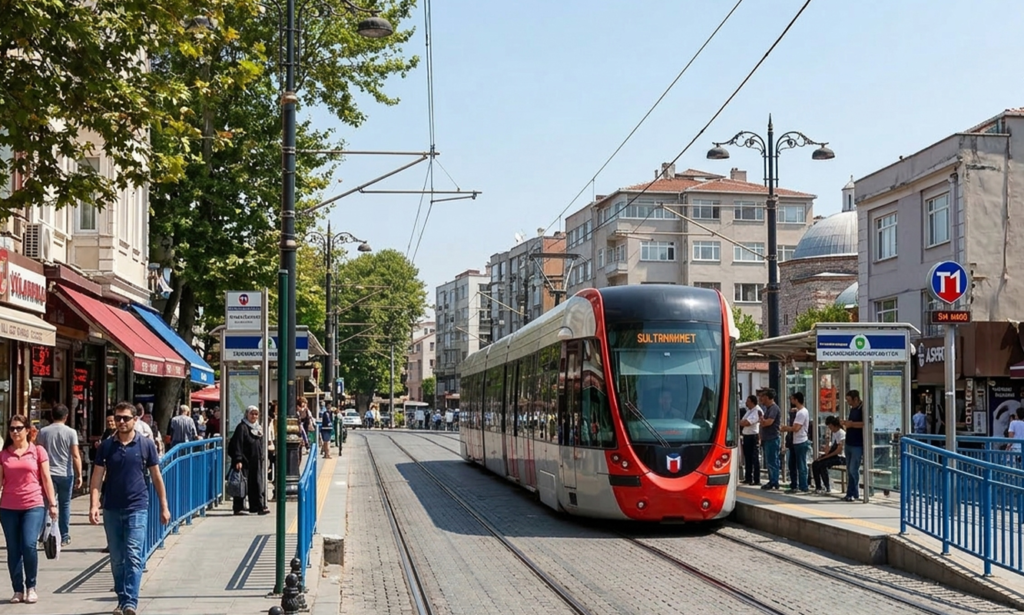
In general, rail-based transit (tram, metro, Marmaray) is more reliable and often faster than buses.
Why?
- Trams and metros avoid road traffic
- Arrival times are more predictable
- Transfers are usually easier to manage
If Google Maps gives you a bus-heavy route and a tram/metro option that looks slightly longer — we almost always recommend choosing the rail option. The app time estimates for buses NEVER contemplate traffic or the fact that the buses are always running late.
Planning a trip to Istanbul? Start here
We’ve created a complete set of free downloadable travel guides to help you plan your trip with confidence.
5. Use Transit Preferences to Customize Your Route
You can tell Google Maps which modes of transportation you prefer.
For example, you can prioritize:
- Subway
- Train
- Tram
- Or exclude buses altogether
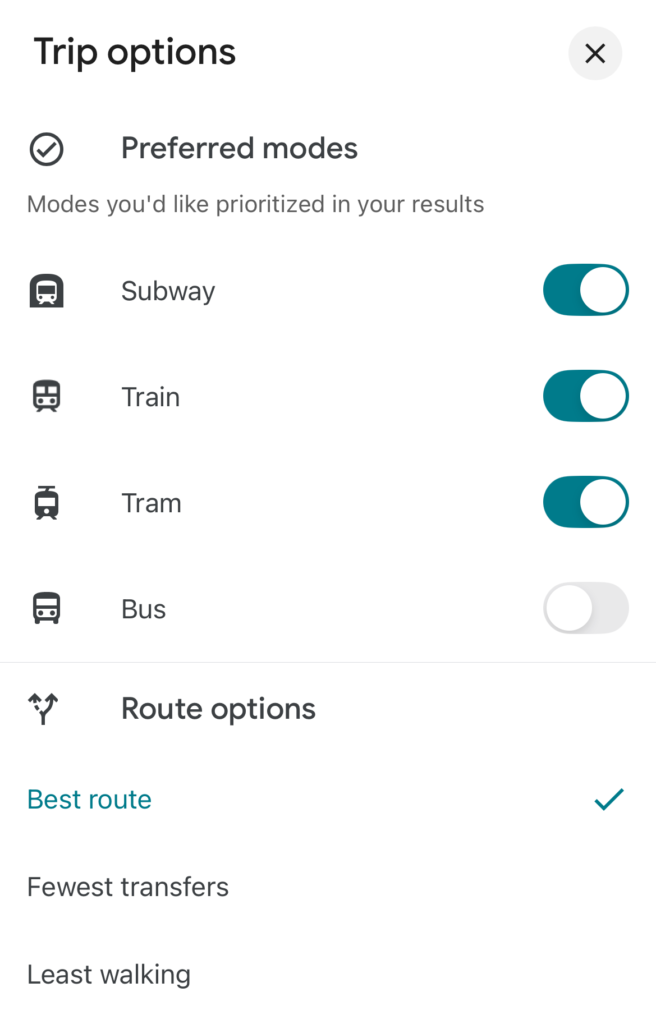
How to do it:
- Enter your route
- Tap the three dots in the top right
- Select “Options”
- Choose your preferred modes of transit
This can dramatically improve the suggested routes and help you avoid traffic-heavy bus routes.
6. Keep Your GPS Location On While Traveling
Once you’re on public transit, keep your GPS active.
This allows you to:
- Track your progress in real time
- See upcoming stops
- Know exactly when to get off
- Reduce stress during transfers
This is especially helpful on buses and trams where stop announcements may not always be clear.
7. Set Departure or Arrival Times When Needed
If you’re trying to arrive somewhere at a specific time — a tour, reservation, or ferry — use Google Maps’ departure/arrival time feature.
This allows Google Maps to:
- Suggest routes based on your schedule
- Show frequency of transit lines
- Help you avoid long waits between connections
8. Download Offline Maps as a Backup
If you’re worried about spotty internet or data usage, download offline maps of Istanbul ahead of time.
While you won’t get live updates, you’ll still be able to:
- View routes
- See station names
- Navigate the city
This is a great backup option — especially on your first few days in the city.
Example: Sultanahmet to Balat
Let’s look at an example. If you enter a route like Sultanahmet →Balat, Google Maps will likely suggest several options.
Many will involve buses and may appear faster based on estimates. A tram‑to‑tram route (for example, T1 to T5) may show a longer estimated time — but often ends up being faster in reality because it avoids road traffic entirely.
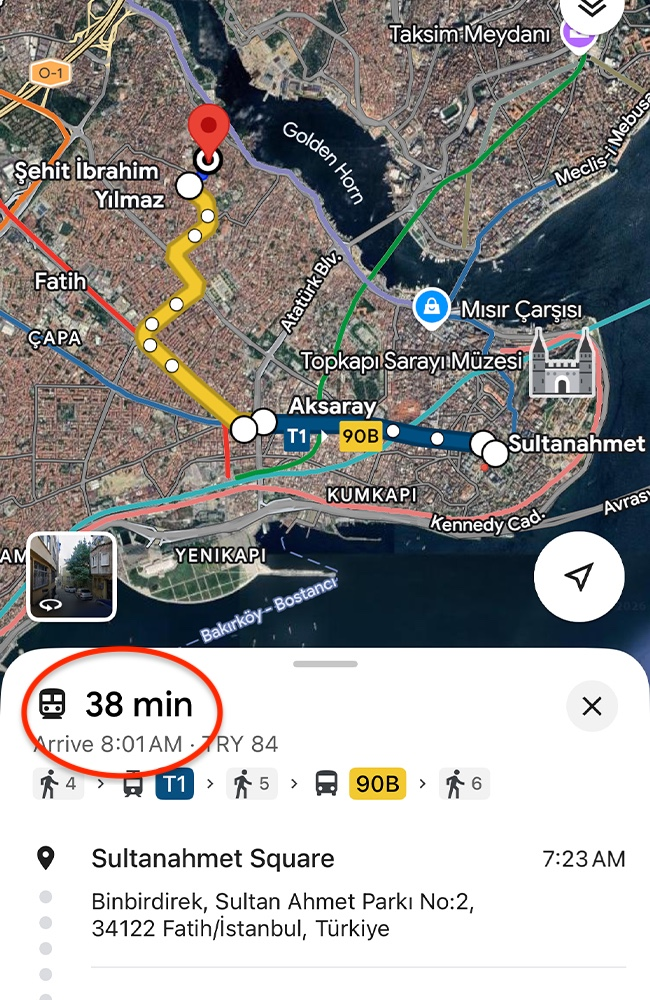
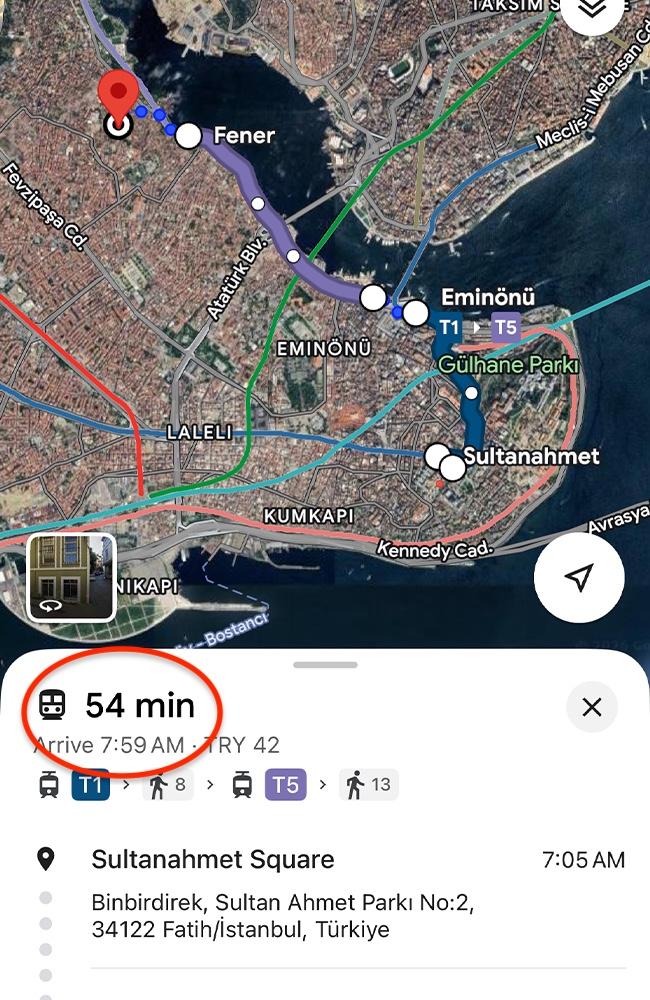
This is a perfect example of why it’s important to look beyond the first suggested route.
Final Thoughts

Istanbul’s public transportation system is extensive, affordable, and efficient — once you know how to use it.
Google Maps is hands‑down the best tool for navigating the city, especially when you:
- Turn on the transit layer
- Compare routes carefully
- Prioritize rail over buses
- Customize your preferences
With these tips, getting around Istanbul becomes far less stressful — and you’ll feel confident exploring more of the city.
Planning a trip to Istanbul? Start here
We’ve created a complete set of free downloadable travel guides to help you plan your trip with confidence.
Inside, you’ll get:
- Detailed Istanbul guide (neighborhoods, food, logistics)
- Cappadocia & Turquoise Coast travel guides
- Ready-to-use Istanbul & Turkey itineraries (3 days to 3 weeks)
- Transportation tips
- Our personal recommendations & travel advice